Mobile web app · Experience gifting

Regards

A gift you can open, then live.

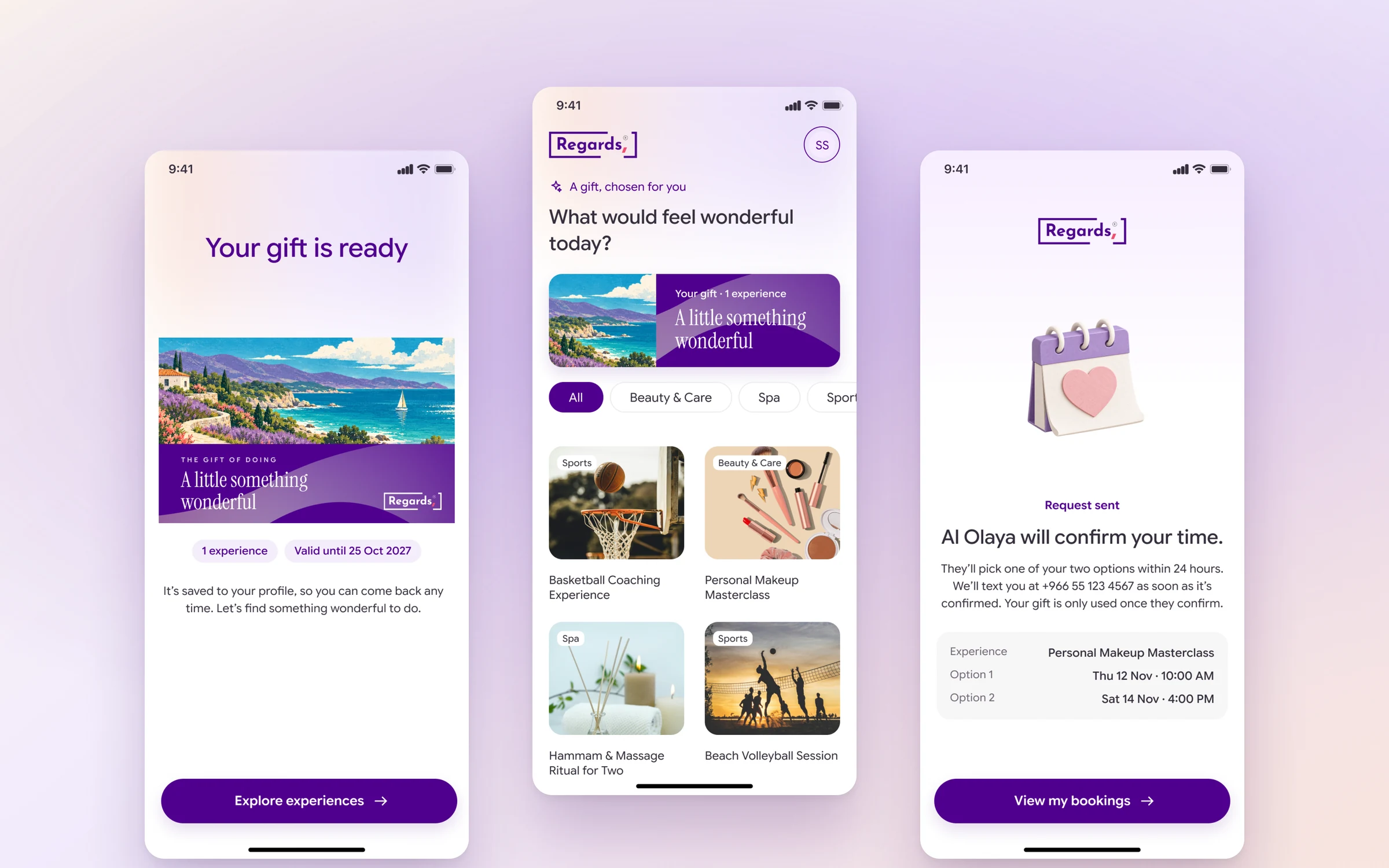
Three Regards phone screens on a soft lilac background: 'Your gift is ready' with the painted card, the experiences list with category chips, and 'Al Olaya will confirm your time' with the booking summary
All projects

Regards sells experiences as gifts, like a makeup class or an afternoon at a spa. The gift arrives as a painted card in a box, and its QR code opens a mobile web app on the receiver's phone. There they activate the gift, choose an experience and ask for a booking, in English or Arabic, with nothing to install.

Our role
Product design
Client
Regards
Platform
Mobile web (English and Arabic)
Year
2026

01The challenge

An experience is hard to wrap.

When you give someone an experience, you often hand over nothing at all: a code in an email, or a link that gets lost. Regards wanted the moment of giving to feel like a real gift, and the next step to be easy for whoever receives it. In Saudi Arabia, all of it has to work as well in Arabic as in English.

  • A first screen that feels like a gift.

    Most vouchers open on a form. The first thing the receiver sees on their phone should be the gift itself: the same painted card they were just handed.

  • No app, no account.

    The person receiving the gift didn't choose Regards. They should open it with their phone camera and start in a minute, without installing anything.

  • A booking someone else confirms.

    Each experience is run by a provider with their own calendar. The receiver needs to ask for a time the provider can accept, and know what's happening while they wait.

02Our approach

Let the card open the app.

The gift is handed over in a box, but everything after that happens on the phone. We designed the mobile web app so it picks up exactly where the card leaves off and already knows which gift it is.

  1. The card on screen.

    The app opens on the same painted card the receiver is holding, with what it includes and how long it's valid. One look, and they know they're in the right place.

  2. One code, no app.

    The QR code opens the gift in the phone's browser. Add a name, confirm the number with a text code, and the gift is saved. Three screens, then it's yours.

  3. Offer two times, then say what happens next.

    Instead of a live calendar, the receiver offers up to two times. The provider picks one, and the status says so in plain words until it's confirmed.

03The product in action

One gift, from the card to the booking.

CHAPTER 1 · THE CARD

Where the app begins.

The gift arrives in a drawer box with a painted card inside. Each mood has its own painting, and the back of every card carries a QR code and a gift code, so the app always starts from the card in the receiver's hands.
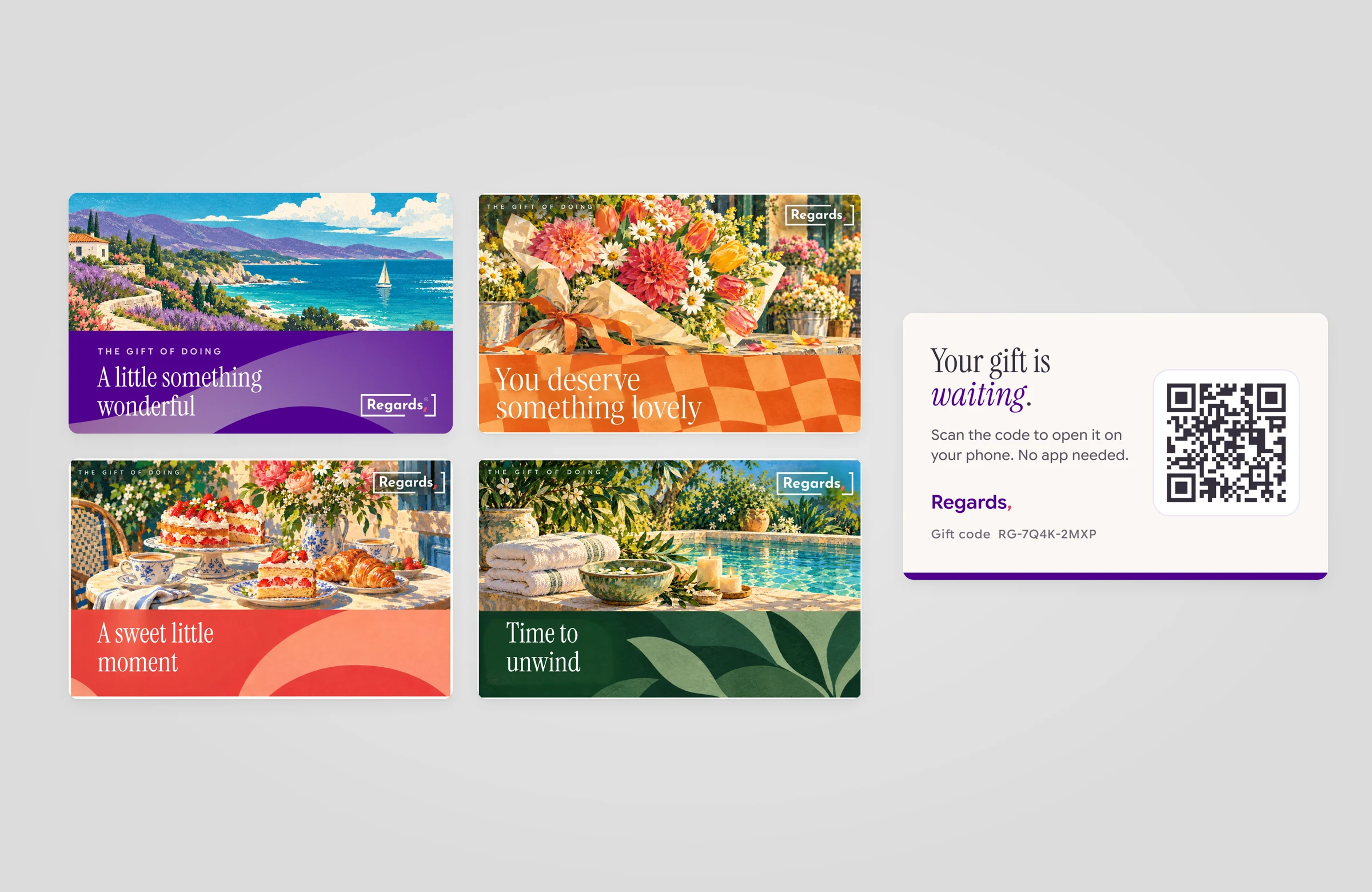
Four Regards gift cards with painted scenes, a Mediterranean coast, a bouquet, a patisserie table and a spa pool, each with its own colour band and headline, next to the ivory card back with a QR code and 'Your gift is waiting.'
CHAPTER 2 · OPEN

Scan, and it's yours.

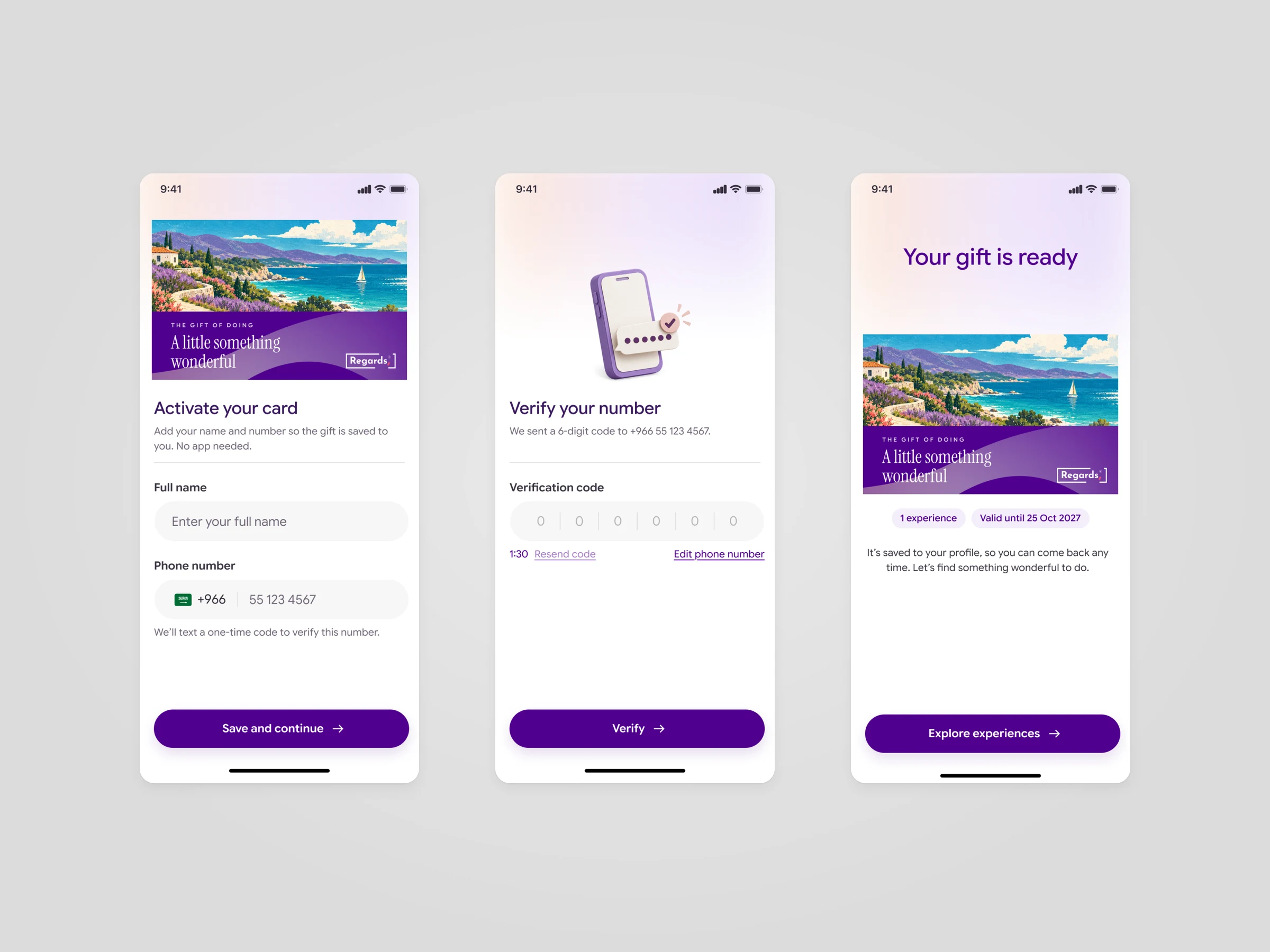
The QR code opens the same card on screen, so the receiver knows they're in the right place. A name, a phone number and a six-digit code later, the gift is saved to their profile, with what it includes and how long it's valid.

Three phone screens: 'Activate your card' with the painted card, name and phone fields; 'Verify your number' with a six-digit code; and 'Your gift is ready' with the card, '1 experience' and 'Valid until 25 Oct 2027'
CHAPTER 3 · CHOOSE

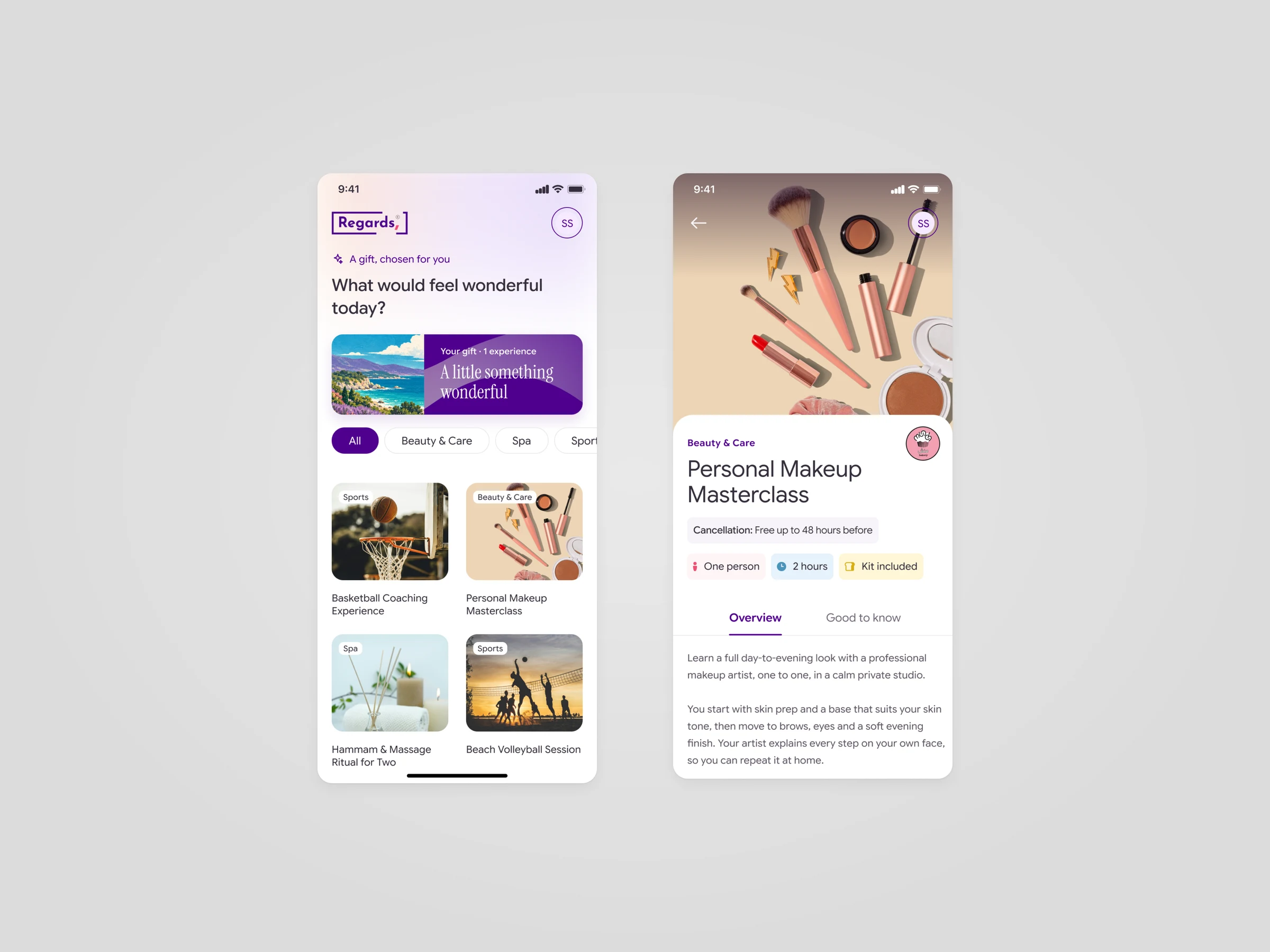
Choose something wonderful.

The gift sits at the top of the experiences it covers, sorted by category. Each experience shows what's included, how long it takes and the cancellation terms before anything is booked.

Two phone screens: 'What would feel wonderful today?' with the gift card, category chips and four experiences; and the Personal Makeup Masterclass page with facts, an overview and a 'Book with my gift' button
CHAPTER 4 · BOOK

Offer two times, then wait well.

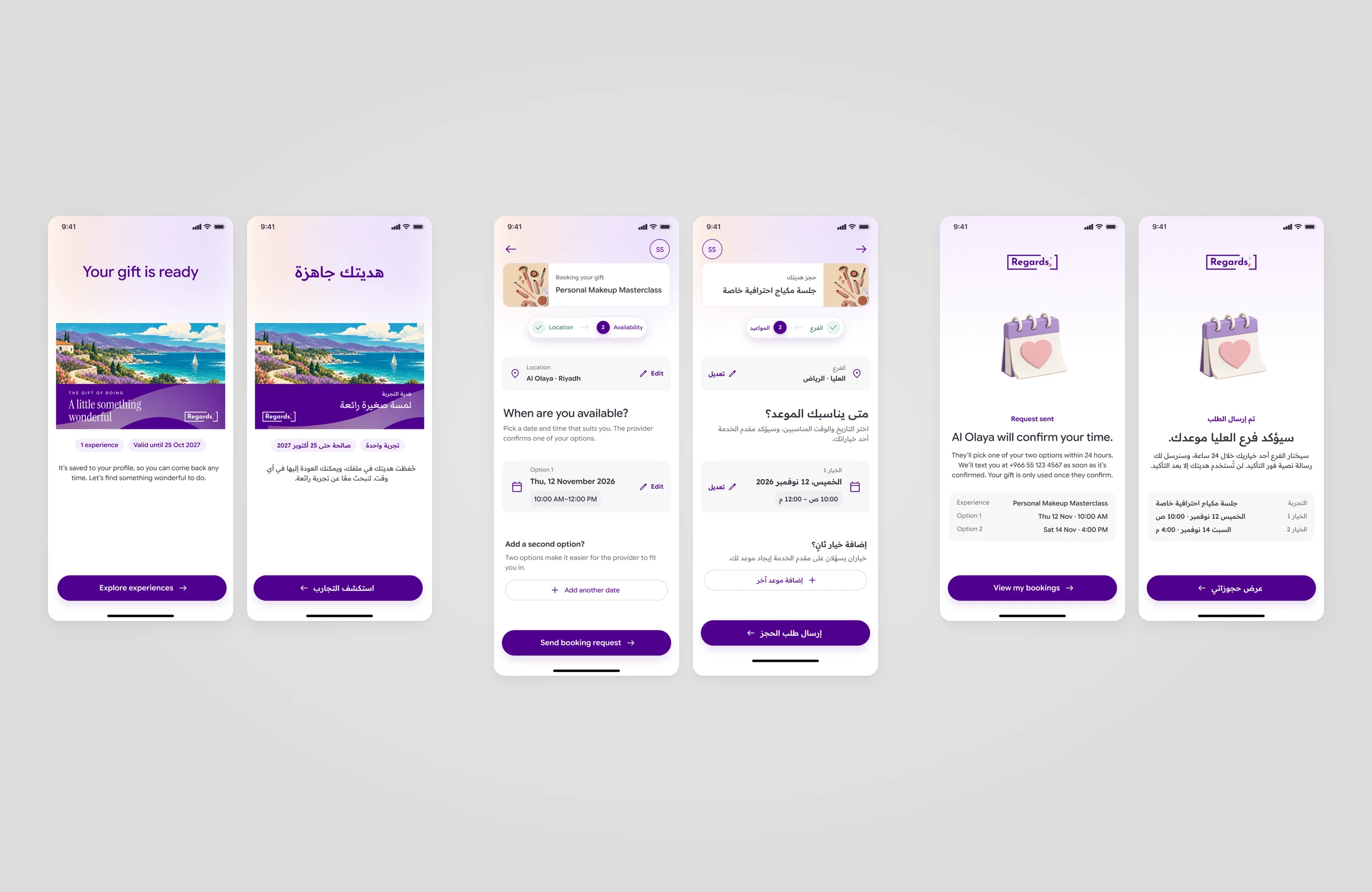
The receiver picks a branch and offers one or two times that suit them. After sending, the page says plainly that the provider will confirm within 24 hours, and that the gift is only used once they do. My bookings and My vouchers show the same status.

CHAPTER 5 · BOTH LANGUAGES

Made for Saudi, in Arabic too.

Every screen and card also exists in Arabic, laid out right to left. Arrows and steps follow the reading direction. The paintings and photos stay exactly as they are.

Three pairs of phone screens in English and Arabic: the gift ready screen, the booking step with one option added, and the request sent screen, each mirrored right to left in Arabic

04Design language

Painted scenes, a calm interface.

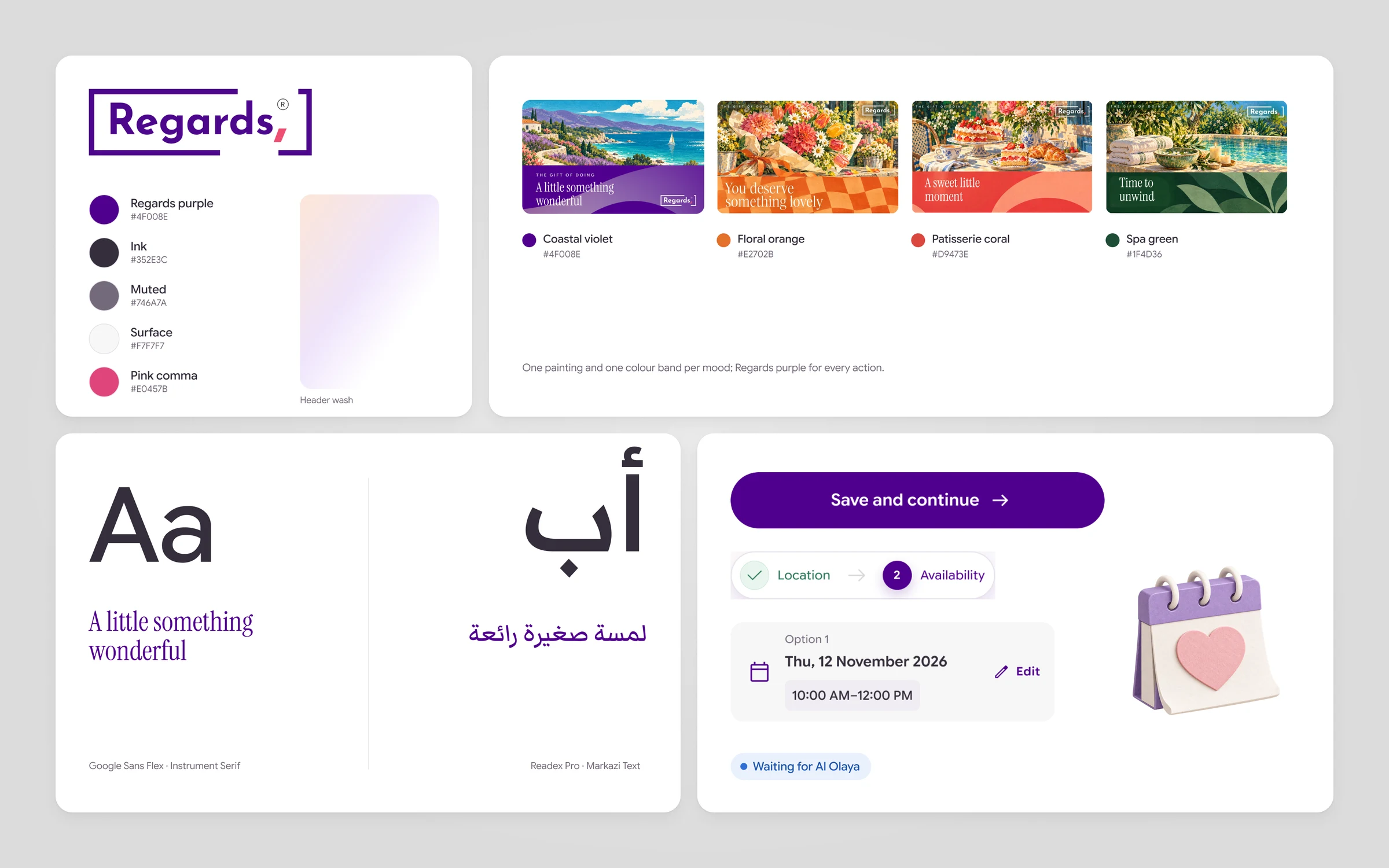
Regards purple carries every action. Each mood brings its own colour from its painting: coastal violet, floral orange, patisserie coral, spa green. Google Sans Flex and Instrument Serif set the English; Readex Pro and Markazi Text set the Arabic.

Regards style tile with the wordmark, the purple and neutral colours, four painted mood cards with their colours, English and Arabic type samples, a button, a booking stepper, an option card, a status badge and a clay calendar illustration

05The result

From a card in your hands to a booked day.

We designed the Regards mobile web experience and the card that opens it, in English and Arabic, as one flow from scanning the code to a booking the provider confirms.

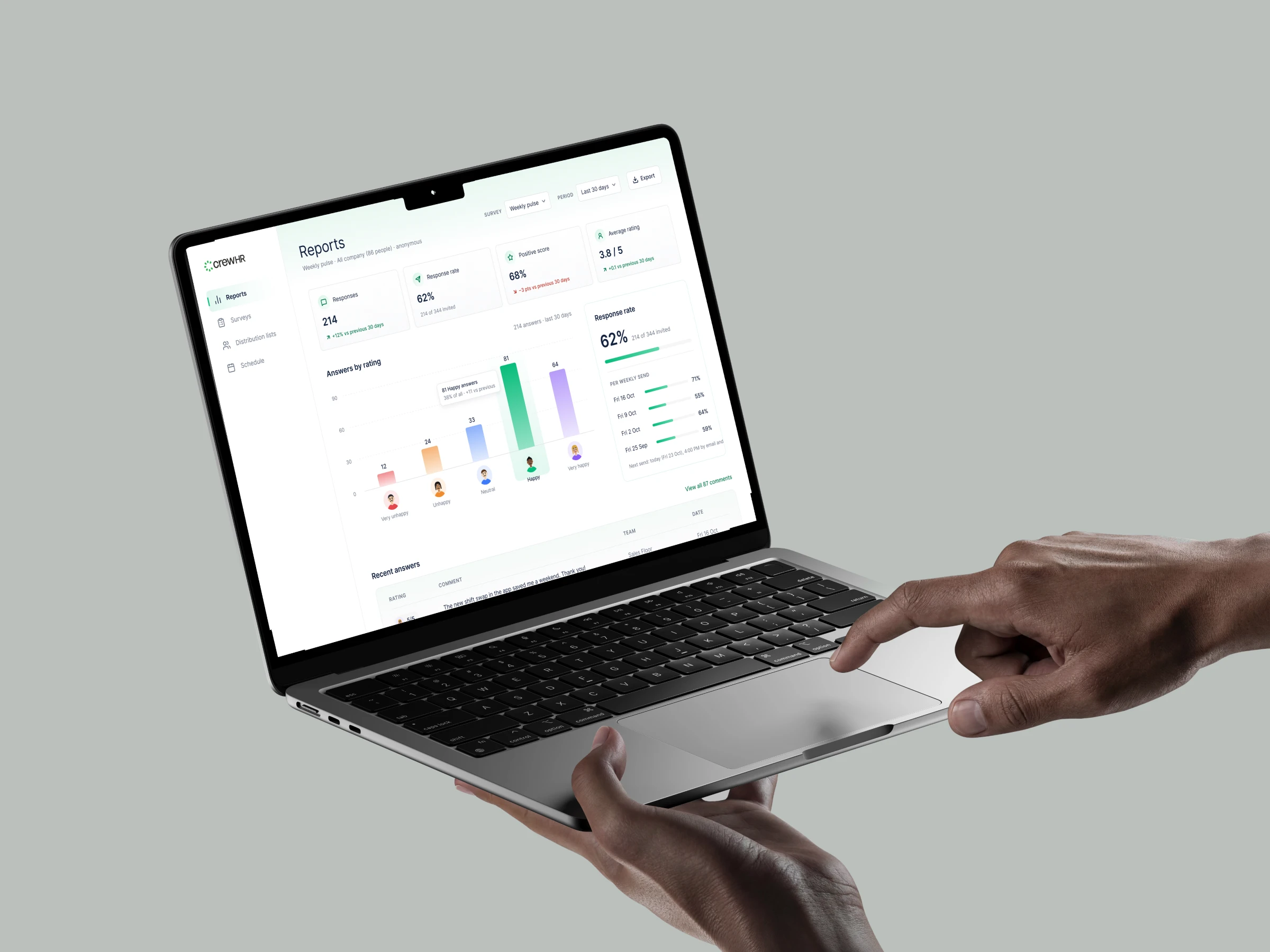
Next projectCrewHRHear how shift teams feel, every week.

06Contact

Building an app people open from a gift?

We design mobile and web products, from the first screen to the last step of the flow.

  • No commitment, just a conversation
  • You talk directly with a designer
  • A reply with a clear next step
Prefer to talk? Book a call

Send us a message

Tell us a little about your product. We’ll get back to you soon.